

Skip to content
شحن مجاني في سنغافورة للطلبات التي تزيد قيمتها عن 60 دولارًا
احصل على شهر مجاني في اشتراكك في WHOOP - اشترك باستخدام join.whoop.com/bikerssg

البلد/المنطقة

اللغة

Skip to product information
1 of 7

رمز التخزين التعريفي:MTLAZFAVASSIUNO

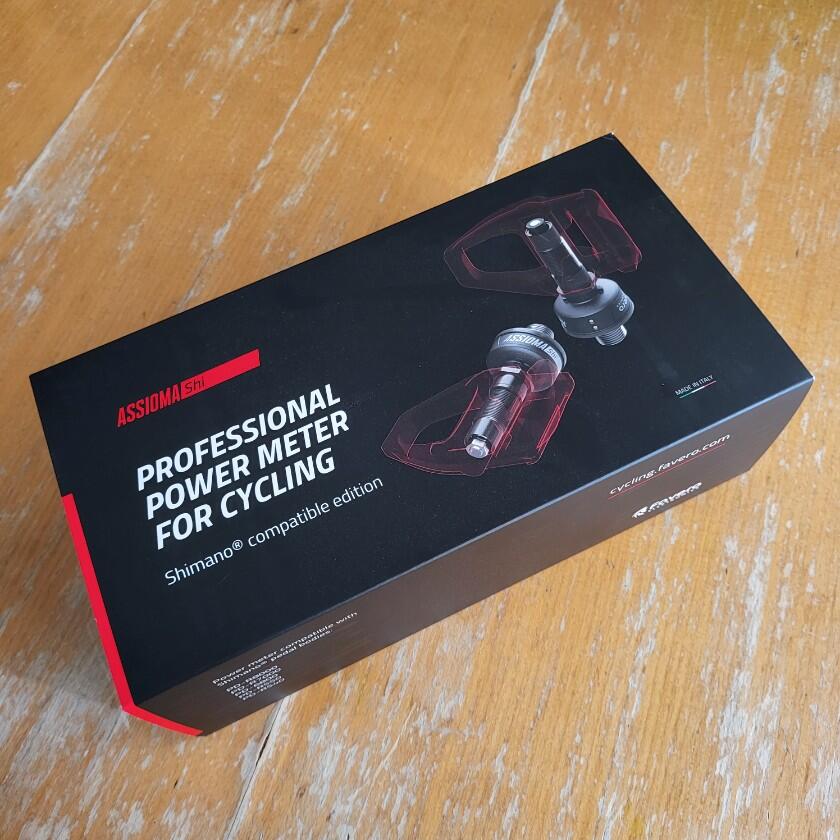
دواسات مقياس الطاقة فافيرو أسيما – أحادية وثنائية (Look Keo)

$499.00
$499.00 $589.00
مبيع نفد المخزون
الشحن يُحسب عند إتمام الشراء.
تبقى 3 وحدة فقط
نموذج: أكسيوم ون

Description

ملاحظة: جميع المنتجات المتوفرة محليًا في سنغافورة تأتي مع ضمان لمدة عامين من الشركة المصنعة. خدمة التوصيل في نفس اليوم متاحة — تحدث معنا لمعرفة المزيد.

دواسات Favero Assioma مقياس الطاقة — UNO & DUO (Look Keo)

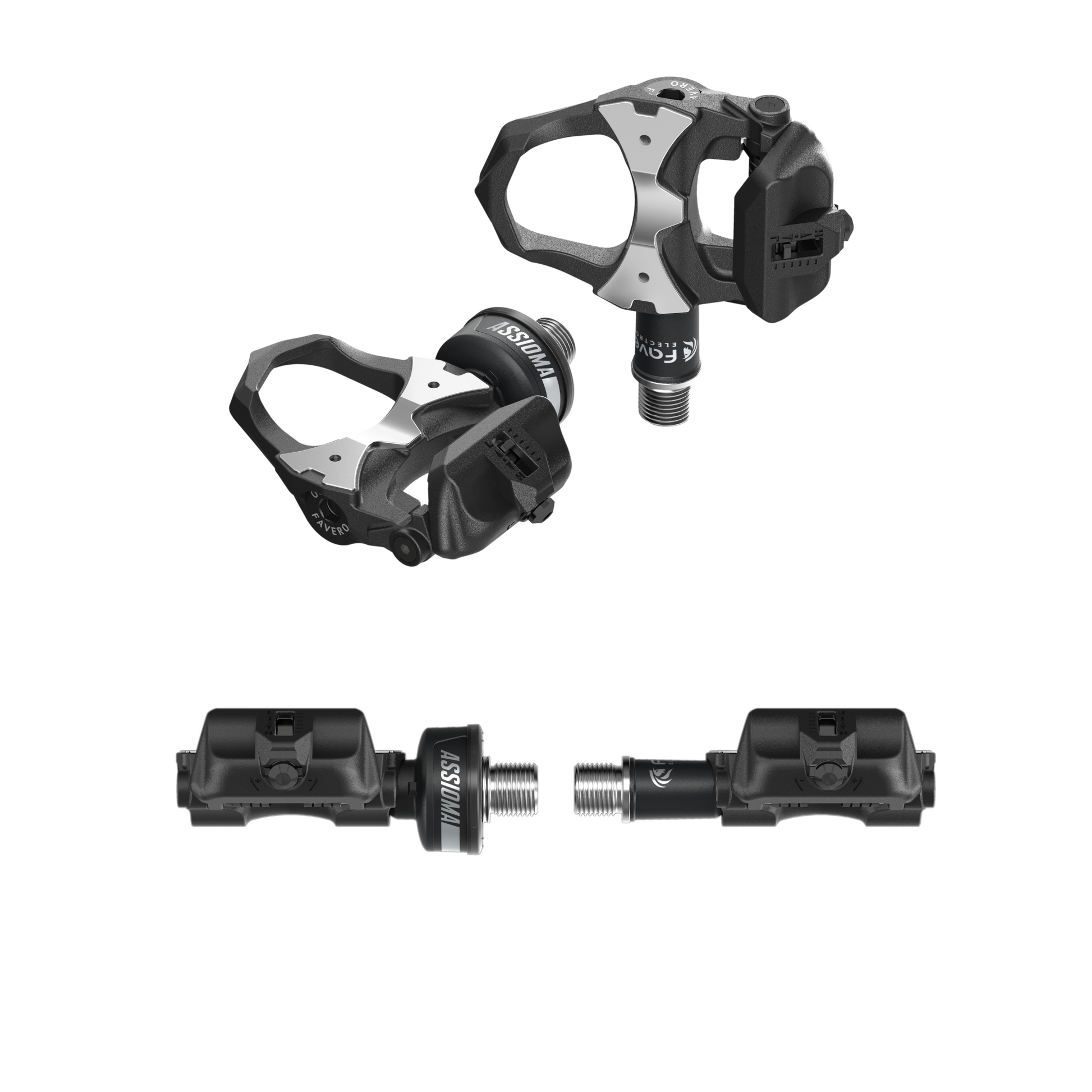
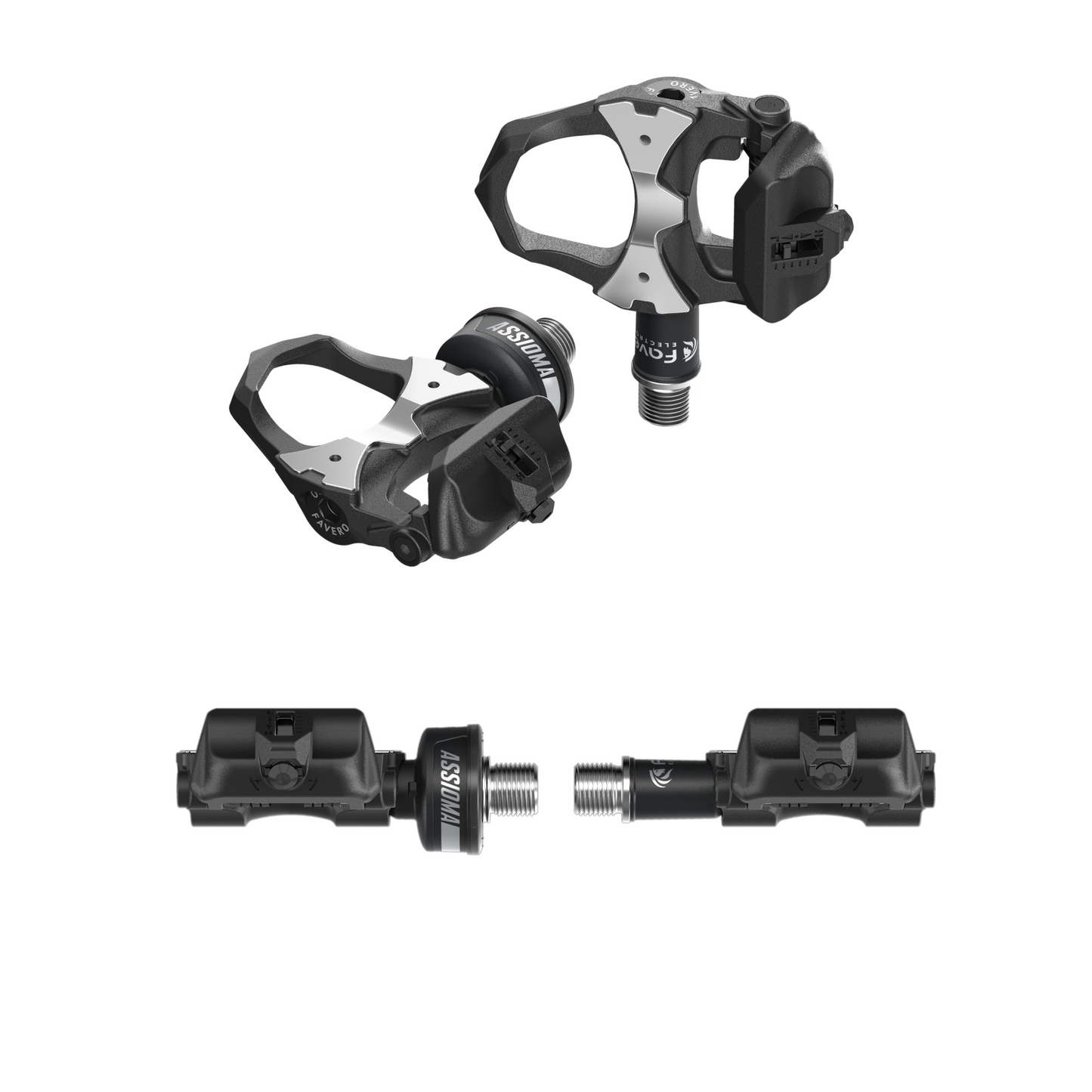
Favero Assioma هي دواسة قياس طاقة احترافية يثق بها راكبو الدراجات في جميع أنحاء العالم لدقتها التي لا مثيل لها، وسهولة تركيبها، وعمر بطاريتها الطويل. متوفرة في نوعين ليناسب كل إعداد للطريق: Assioma UNO (دواسة أحادية الجانب، اليسرى) و Assioma DUO (دواسة مزدوجة الجانب، كلاهما).

متوافقة مع مرابط Look® Keo ويمكن نقلها بين الدراجات في ثوانٍ، Assioma هي دواسة قياس الطاقة لمن يريد التدريب بدقة وركوب بثقة.

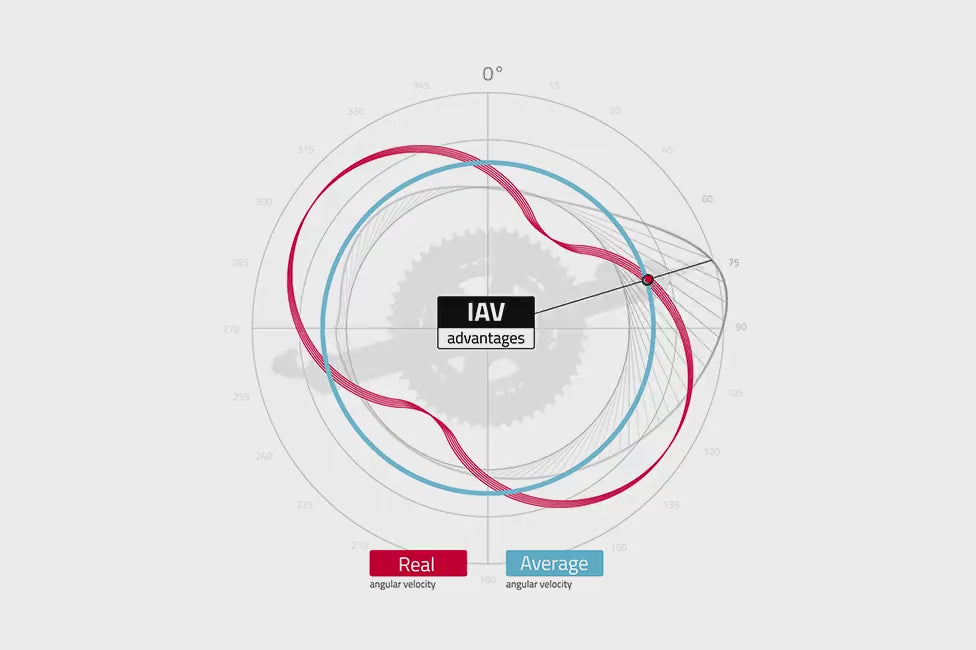
  • دقة طاقة ±1% — نظام طاقة IAV، دقيق حتى مع السلاسل البيضاوية
  • ⚖️ 151.5 جرام لكل دواسة — خفيفة الوزن، ارتفاع مكدس منخفض 10.5 ملم
  • 🔋 أكثر من 50 ساعة لكل شحنة — بطارية ليثيوم بوليمر قابلة لإعادة الشحن، موصلات USB مغناطيسية
  • 📡 اتصال مزدوج ANT+ و Bluetooth — Garmin, Wahoo, Bryton, Zwift, Strava, TrainerRoad
  • 💧 مقاومة للماء IP67 — إلكترونيات محكمة الإغلاق بالكامل في راتنج ثنائي المكونات
  • 🔄 معايرة تلقائية مدمجة — لا حاجة لمعايرة يدوية قبل كل رحلة
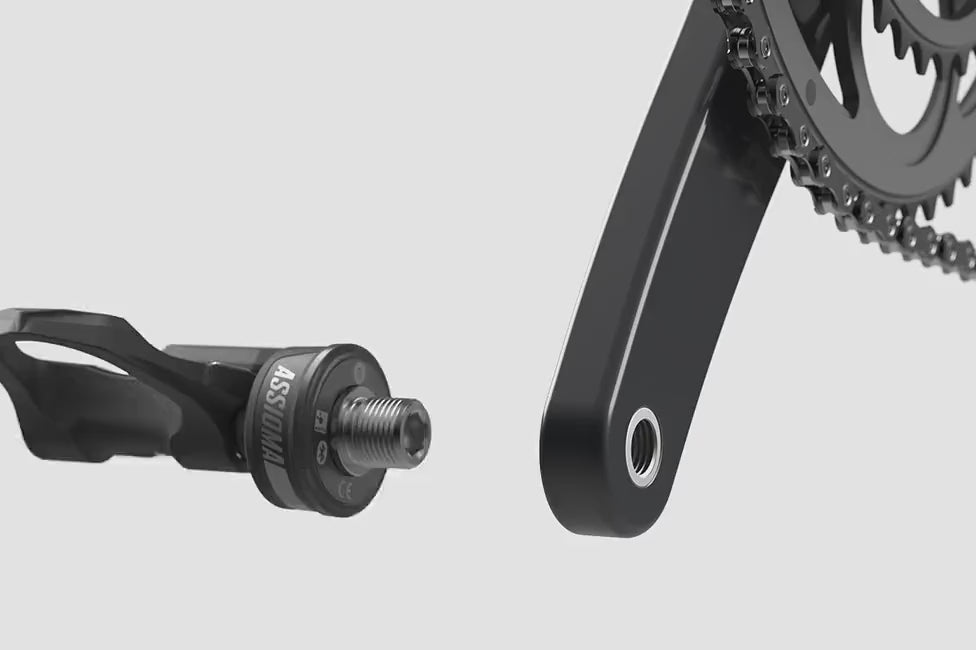
  • 🔧 تصميم معياري — جسم دواسة خالٍ من الإلكترونيات، قابل للاستبدال والنقل بين الدراجات
  • 🇮🇹 صنع في إيطاليا
  • ضمان سنتين من الشركة المصنعة — مخزون محلي في سنغافورة
  • 🚚 توصيل في نفس اليوم متاح — تحدث معنا للترتيب

اختر الطراز الخاص بك

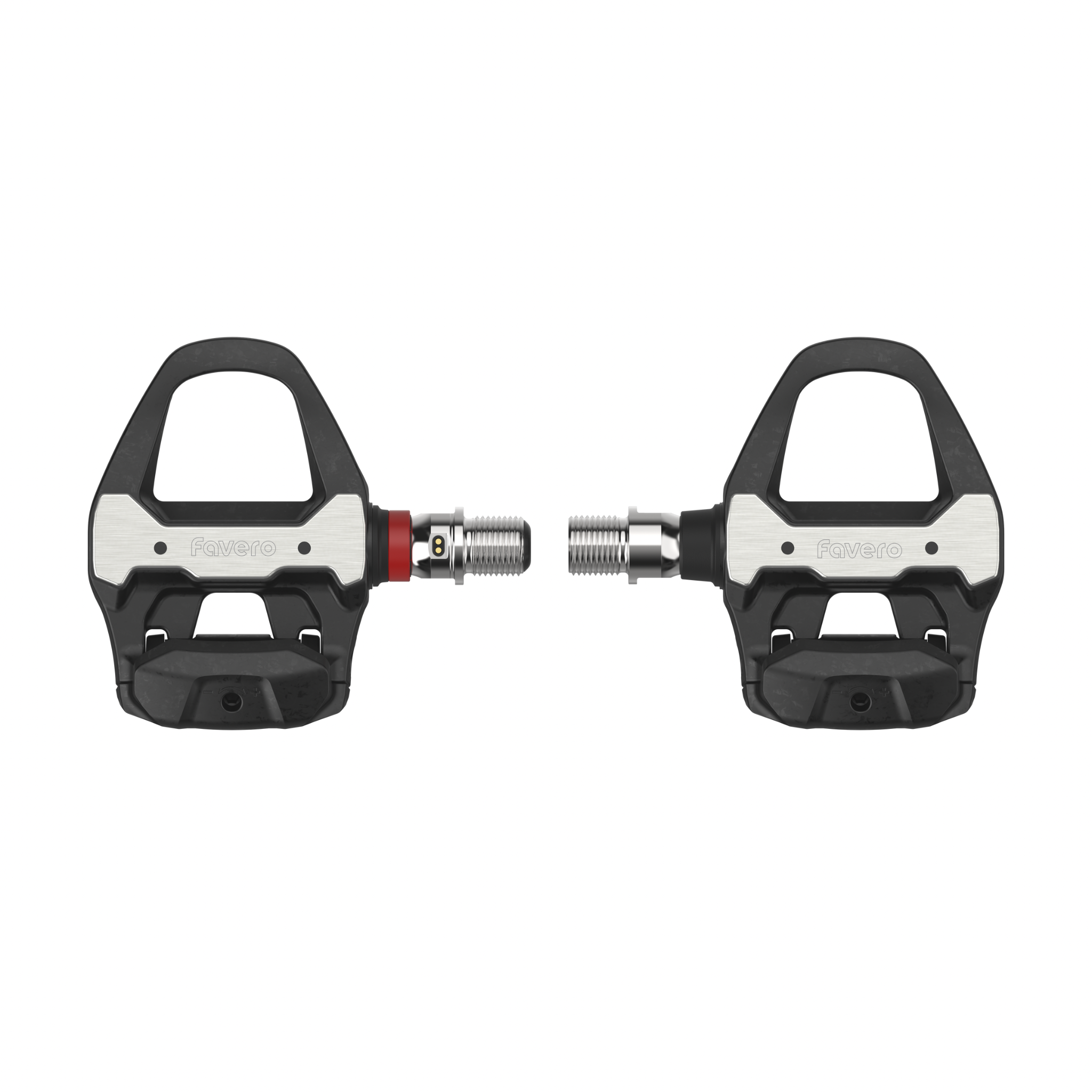
  • Assioma UNO — مقياس طاقة أحادي الجانب (مستشعر الدواسة اليسرى فقط). يقدر إجمالي الطاقة عن طريق مضاعفة قياس الجانب الأيسر. الترقية إلى DUO متاحة دائمًا.
  • Assioma DUO — مقياس طاقة مزدوج الجانب مع مستشعرات على كلتا الدواستين. قياس توازن حقيقي لليسار/اليمين. الخيار الأفضل لبيانات الطاقة الكاملة.

قارن بين مقاييس الطاقة Favero Assioma

هل أنت غير متأكد أي Assioma هو الأنسب لك؟ إليك كيف تقارن التشكيلة الكاملة:

الميزة Assioma UNO / DUO PRO RL PRO RS PRO MX
نظام المرابط Look® Keo Look® Keo Shimano® SPD-SL Shimano® SPD (MTB)
نوع الدراجة الطريق الطريق الطريق دراجات جبلية / حصوية
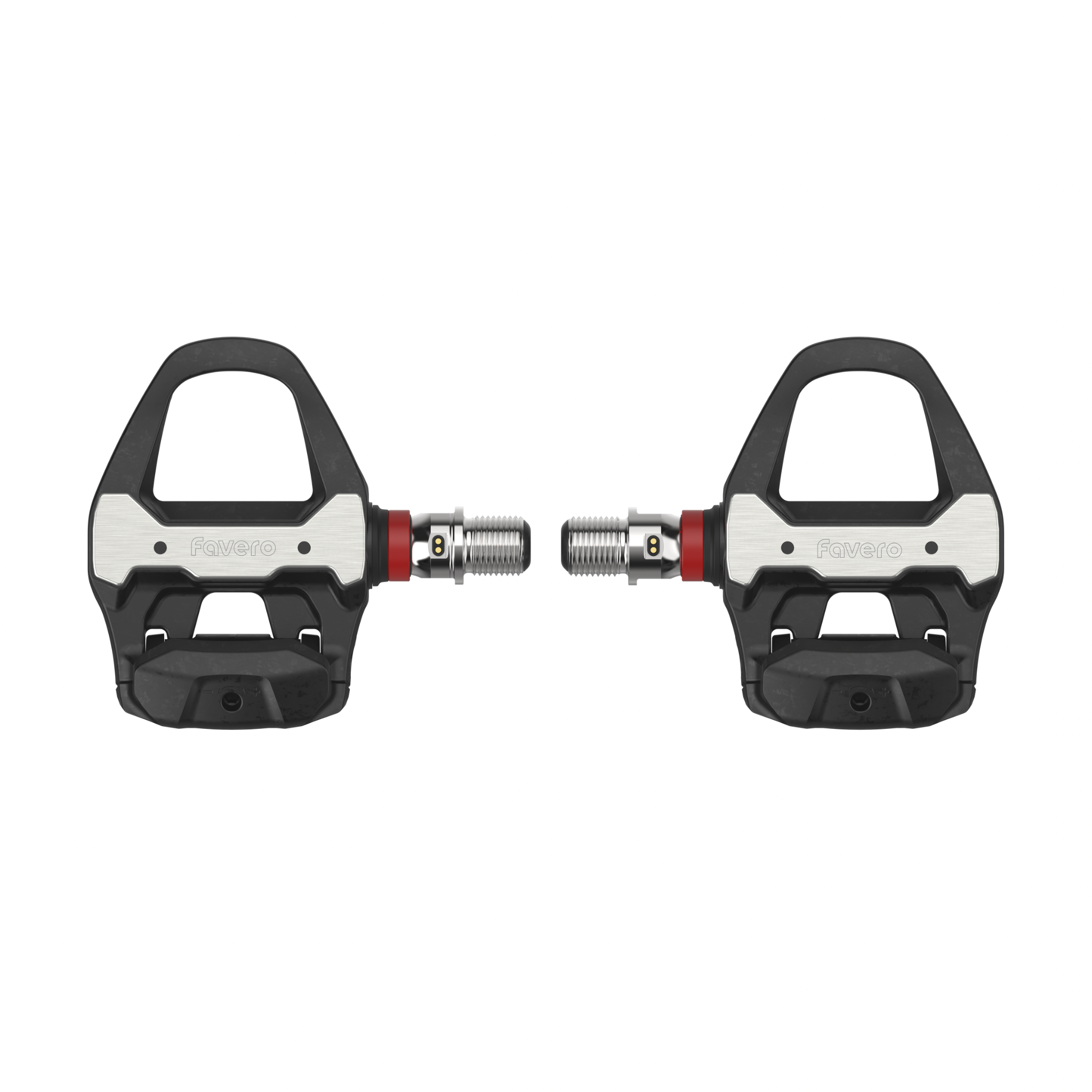
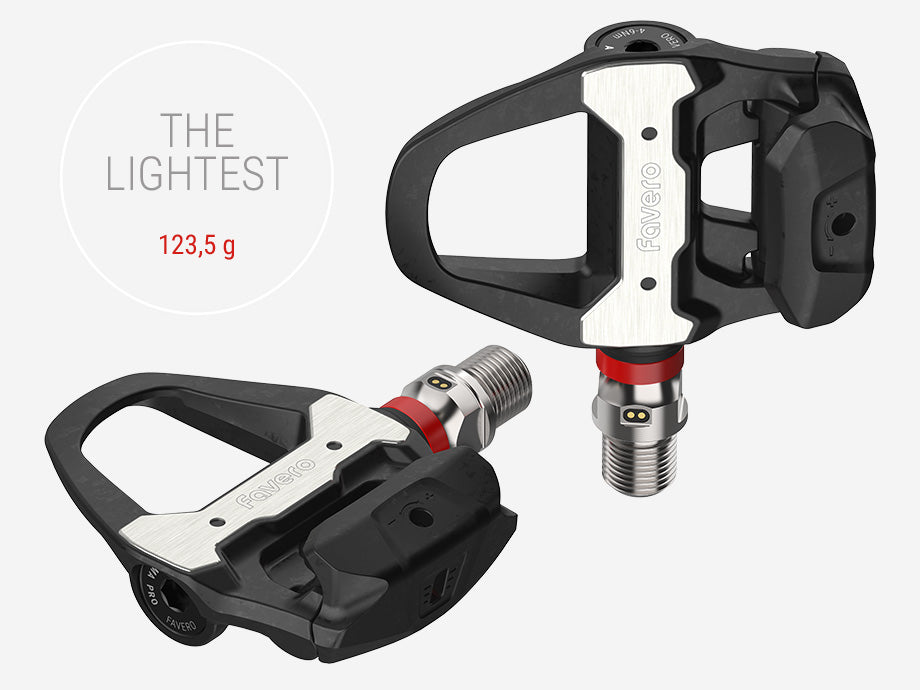
الوزن لكل دواسة 151.5 جرام ~150 جرام 123.5 جرام ✨ ~160 جرام
عمر البطارية أكثر من 50 ساعة أكثر من 160 ساعة ✨ أكثر من 160 ساعة ✨ أكثر من 160 ساعة ✨
الشحن Micro-USB مغناطيسي USB-C USB-C USB-C
الدقة ±1% ±1% ±1% ±1%
جسم الدواسة المعياري ✅ (متوافق مع PRO RS / MX) ✅ (متوافق مع PRO RL / MX) ✅ (متوافق مع PRO RL / RS)
الأفضل لـ المبتدئين إلى متوسطي المدى على الطريق راكبي الدراجات على الطريق بمرابط Look Keo راكبي الدراجات على الطريق بمرابط Shimano SPD-SL الدراجات الجبلية / الحصوية / متعددة الدراجات

💡 Assioma UNO/DUO هو الخيار المثبت والمجرب لراكبي الدراجات على الطريق بمرابط Look Keo. قم بالترقية إلى سلسلة PRO للحصول على شحن USB-C وعمر بطارية أطول وأجسام دواسة معيارية متوافقة.


شاهدها وهي تعمل


مقاييس الطاقة المتاحة

عبر ANT+: الطاقة، الإيقاع، توازن اليسار/اليمين (DUO فقط)، مرحلة الطاقة (PP)، وضع الراكب (RP)، كفاءة العزم (TE)، نعومة الدواسة (PS)، ديناميكيات ركوب الدراجات IAV (على أجهزة Garmin و Bryton المدعومة)

عبر البلوتوث: الطاقة، الإيقاع، توازن اليسار/اليمين (DUO فقط)


المواصفات التقنية

  • الوزن: 151.5 جرام لكل دواسة (مع المستشعر)
  • ارتفاع المكدس: 10.5 ملم
  • عامل Q: +54 ملم
  • توافق المرابط: Look® Keo، مرابط Favero (متضمنة)
  • الاتصال: ANT+ (ملف تعريف الطاقة) + بلوتوث (ملف تعريف cpp)
  • البطارية: ليثيوم بوليمر قابلة لإعادة الشحن، ≥50 ساعة لكل شحنة
  • مقاومة الماء: IP67
  • الدقة: ±1%
  • التعويض الحراري: نعم
  • متوافق مع السلسلة البيضاوية: نعم
  • الضمان: سنتان
  • نوع الدراجة: ركوب الدراجات على الطريق

محتويات العبوة

  • دواسة (دواسات) مقياس الطاقة مع مستشعر (مستشعرات) — UNO: الجانب الأيسر فقط؛ DUO: كلا الجانبين
  • مرابط متوافقة مع Look® Keo
  • كابل شحن micro-USB مزدوج مع موصلات مغناطيسية
  • مجموعة أدوات التشحيم
  • دليل الضمان والسلامة

أكمل إعدادك — اقترن مع كمبيوتر دراجات

ينقل Assioma UNO/DUO بيانات الطاقة عبر ANT+ والبلوتوث إلى أي كمبيوتر دراجات متوافق. إليك الخيارات المتاحة في Bikers.SG:

Garmin Edge 1050 الرائد

جهاز Garmin الرائد بشاشة لمس 3.5 بوصة. يعرض ديناميكيات ركوب الدراجات الكاملة من Assioma بشكل طبيعي — مرحلة الطاقة، كفاءة العزم، نعومة الدواسة، وتوازن اليسار/اليمين.

عرض Edge 1050 →

Garmin Edge 850

جهاز Garmin متوسط المدى مع شحن شمسي ودعم كامل لمقياس الطاقة ANT+. يعرض بيانات طاقة Assioma وديناميكيات ركوب الدراجات.

عرض Edge 850 →

Garmin Edge 550

جهاز Garmin مدمج وبأسعار معقولة مع دعم كامل لمقياس الطاقة ANT+. اقتران نظيف وبدون عناء مع Assioma UNO أو DUO.

عرض Edge 550 →

Magene C706 الخيار ذو القيمة

كمبيوتر GPS غني بالميزات مع دعم مقياس الطاقة ANT+ والبلوتوث. يعرض الطاقة والإيقاع وتوازن اليسار/اليمين من Assioma DUO.

عرض Magene C706 →

Magene C606 Pro

كمبيوتر GPS مدمج مع دعم مقياس الطاقة ANT+. يقترن بسلاسة مع Assioma UNO أو DUO للتدريب القائم على الطاقة.

عرض Magene C606 Pro →

Magene C606 V2

C606 محدث مع تحسين GPS واتصال ANT+. اقتران موثوق به مع مقاييس طاقة Assioma للتدريب القائم على البيانات.

عرض Magene C606 V2 →

أضف جهاز مراقبة معدل ضربات القلب

اجمع بيانات الطاقة من Assioma مع معدل ضربات القلب للحصول على رؤى تدريب كاملة — تتبع الكفاءة، وفصل الأوكسجين الهوائي، وحمل التدريب.

Polar H10 الأعلى تقييمًا

يعتبر على نطاق واسع الأكثر دقة بين أجهزة مراقبة معدل ضربات القلب التي ترتدى على الصدر للمستهلكين. يدعم ANT+ والبلوتوث المزدوج.

عرض Polar H10 →

Garmin HRM 600 مميز

جهاز Garmin الرائد الذي يرتدى على الصدر مع تسجيل HRV. الأفضل لمستخدمي Garmin Edge.

عرض HRM 600 →

Garmin HRM 200

جهاز Garmin يرتدى على الصدر للمبتدئين. اقتران ANT+ بسيط وموثوق.

عرض HRM 200 →

Polar Verity Sense سوار الذراع

جهاز مراقبة معدل ضربات القلب البصري الذي يرتدى على الذراع — لا حاجة لحزام الصدر. يقترن عبر البلوتوث.

عرض Polar Verity Sense →

Magene H613 خيار اقتصادي

حزام صدر موثوق به يدعم ANT+ والبلوتوث بسعر أقل.

عرض Magene H613 →

Magene H803 سوار الذراع

جهاز مراقبة معدل ضربات القلب البصري الاقتصادي الذي يرتدى على الذراع ويدعم ANT+ والبلوتوث.

عرض Magene H803 →

Magene H303

حزام صدر مزدوج يدعم ANT+ والبلوتوث لمراقبة معدل ضربات القلب. موثوق به وبأسعار معقولة.

عرض Magene H303 →

أكمل إعداد Favero الخاص بك

Assioma UNO/DUO هو الأساس لإعداد تدريب دقيق. أضف كمبيوتر دراجات وجهاز مراقبة معدل ضربات القلب لتتبع الكفاءة الهوائية جنبًا إلى جنب مع القوة الكهربائية.

🖥️ Garmin Edge 1050

نظام تحديد المواقع الرائد — ديناميكيات ركوب الدراجات الكاملة من Assioma

تسوق Edge 1050 →

🖥️ Magene C706

GPS قيم مع دعم كامل لمقياس الطاقة ANT+

تسوق Magene C706 ←

❤️ Polar H10

أعلى معدل لـ HRM حزام الصدر — ثنائي ANT+ و Bluetooth

تسوق Polar H10 ←

❤️ Garmin HRM 600

HRM ممتاز مع تسجيل HRV

تسوق HRM 600 ←

زود رحلتك بالوقود — الترطيب لراكبي الدراجات في سنغافورة وجنوب شرق آسيا

التدريب ببيانات الطاقة هو نصف المعادلة فقط. في حرارة ورطوبة سنغافورة — حيث يمكن أن تتجاوز معدلات التعرق 1000 ملجم من الصوديوم في الساعة — يعتبر الترطيب عامل أداء، وليس فكرة لاحقة. الماء العادي لا يكفي في الرحلات الطويلة؛ فهو يخفف صوديوم الدم ويسرع التعب.

ترطيب نباتي عشرة زائد (tenplus Phyto-Hydration) صُنع لجنوب شرق آسيا

  • 480 ملجم صوديوم لكل حصة — يتناسب مع معدلات التعرق الاستوائية
  • صفر سكر مضاف — تحكم في تناول الكربوهيدرات بشكل منفصل من خلال الهلام أو الطعام
  • 175 ملجم بوتاسيوم + 40 ملجم مغنيسيوم — وظيفة العضلات ومنع التشنجات
  • 25 سعرة حرارية لكل حصة — سهل الاستخدام اليومي
  • تركيبة نباتية فيتو: باناكس جينسنغ، مورينغا، كركم، شاي أخضر، نوني، وتمر هندي
  • كافيين طبيعي خفيف (37.5 ملجم) من الشاي الأخضر — تركيز مستمر، بدون توتر
  • تصنيع معتمد من GMP في إندونيسيا

مصمم لرحلات التحمل في سنغافورة، ماليزيا، تايلاند، إندونيسيا، الفلبين، وفيتنام — ليس منتجًا غربيًا تم تعديله للاستخدام الاستوائي.

تسوق tenplus Phyto-Hydration ←

💡 عدادات الطاقة تقيس مخرجاتك. الإلكتروليتات تحميها. راكبو الدراجات الذين يتدربون باستخدام Assioma في مناخ سنغافورة الاستوائي يفقدون الصوديوم بسرعة — tenplus تم تركيبها خصيصًا لهذه الظروف. اقرأ دليل الترطيب الاستوائي الكامل →


الأسئلة الشائعة — Assioma UNO و DUO

كم يبلغ وزن Assioma UNO/DUO؟

151.5 جرام لكل دواسة (مع المستشعر).

ما هي المشابك المتوافقة مع Assioma UNO/DUO؟

متوافقة مع مشابك Favero (مرفقة) ومشابك Look® Kéo الأصلية.

ما هو ارتفاع المكدس وعامل Q؟

ارتفاع المكدس: 10.5 ملم (الأدنى بين جميع مقاييس الطاقة القائمة على الدواسة). عامل Q: +54 ملم.

ما هي البيانات التي يمكنني رؤيتها باستخدام Assioma DUO مقابل UNO؟

كلاهما يوفر الطاقة والتردد. بالإضافة إلى ذلك، يوفر DUO (ثنائي الجانب) توازن اليسار/اليمين (L/R Balance)، ومرحلة الطاقة (PP)، وموضع الراكب (RP)، وكفاءة العزم (TE)، ونعومة الدواسة (PS) عبر ANT+.

كم تدوم البطارية؟

50 ساعة عمل على الأقل لكل شحنة.

هل تحتاج إلى معايرة قبل كل رحلة؟

لا. المعايرة التلقائية مدمجة. المعايرة اليدوية مطلوبة فقط عند التثبيت لأول مرة أو عند التركيب على دراجة جديدة.
→ عرض الأسئلة الشائعة الكاملة حول Favero Assioma

عرض تفاصيل المنتج

Frequently Asked Questions

What data can I see with Assioma DUO/UNO or DUO-Shi?
Assioma provides several useful training data, yet its display mostly depends on the transmission channel (Bluetooth or ANT+) that your bike computer/app is using. Via Bluetooth: Cadence, Power, L/R Balance (double-sided version only). Via ANT+: Cadence, Power, L/R Balance (double-sided version only), Power Phase (PP), Rider Position (RP), Torque Effectiveness (TE), Pedal Smoothness (PS).
What data can I see with Assioma PRO?
Assioma PRO models offer power data that can be seen both on your bike computer/app and in the LIVE screen of the Favero Assioma app. Via ANT+ or Favero Assioma app: Cadence, Power, L/R Balance (double-sided version only), PCO, Power Phase (PP), Rider Position (RP) — not available in Favero Assioma app, Torque Effectiveness (TE), Pedal Smoothness (PS).
How to calibrate the Assioma pedals?
You can calibrate the pedals directly on the Favero Assioma app or with your bike computer. For it to be successful, place the bike upright (not tilted) with the crank arms in a vertical position and make sure the pedals are free from any loads before proceeding.
When should I calibrate Assioma?
You have to calibrate the pedals at first and every new installation but you don't need to calibrate them before every ride since the automatic calibration feature will take care of it for you. Automatic calibration will happen without you even realizing: the only suggestion is to store the bike upright (not tilted), with no loads applied to the pedals. The position of the crank arms is irrelevant. You can still perform manual calibration before your rides if you wish to, but it's not necessary at all.
My bike computer asks me to perform a calibration. What should I do?
You can disable the calibration option on your bike computer, as with the Assioma's auto-calibration functionality it's not necessary. Remember, though, to perform manual calibration at first and every new installation.
How much does Assioma UNO/DUO weigh?
Assioma UNO/DUO weighs only 151.5g per pedal (with sensor).
How much does Assioma PRO MX weigh?
With 195.3g per pedal, Assioma PRO MX stands out as one of the lightest MTB power meters on the market. The pedal's weight is more important than that of any other bike component as any change in the pedaling speed results in a loss of energy directly proportional to the weight of the pedal itself.
How much does Assioma PRO RS weigh?
Assioma PRO RS weighs just 124.8g per pedal (with sensor), which makes it the lightest road pedal-based power meter on the market.
How much does Assioma PRO RL weigh?
Assioma PRO RL weighs just 130g per pedal (with sensor), which makes it the lightest Look-compatible power meter pedal featuring adjustable release tension on the market.
What is Assioma's q-factor?
It depends on the model. Assioma PRO line all models offer +53mm q-factor. Assioma UNO/DUO is +54mm. Assioma DUO-Shi varies by pedal body: PD-R8000/6800 is +65mm, PD-R7000/R550/R540 is +64mm.
What data can I see with Assioma DUO/UNO or DUO-Shi?
Assioma provides several useful training data, yet its display mostly depends on the transmission channel (Bluetooth or ANT+) that your bike computer/app is using. Via Bluetooth: Cadence, Power, L/R Balance (double-sided version only). Via ANT+: Cadence, Power, L/R Balance (double-sided version only), Power Phase (PP), Rider Position (RP), Torque Effectiveness (TE), Pedal Smoothness (PS).
What data can I see with Assioma PRO?
Assioma PRO models offer power data that can be seen both on your bike computer/app and in the LIVE screen of the Favero Assioma app. Via ANT+ or Favero Assioma app: Cadence, Power, L/R Balance (double-sided version only), PCO, Power Phase (PP), Rider Position (RP) — not available in Favero Assioma app, Torque Effectiveness (TE), Pedal Smoothness (PS).
How to calibrate the Assioma pedals?
You can calibrate the pedals directly on the Favero Assioma app or with your bike computer. For it to be successful, place the bike upright (not tilted) with the crank arms in a vertical position and make sure the pedals are free from any loads before proceeding.
When should I calibrate Assioma?
You have to calibrate the pedals at first and every new installation but you don't need to calibrate them before every ride since the automatic calibration feature will take care of it for you. Automatic calibration will happen without you even realizing: the only suggestion is to store the bike upright (not tilted), with no loads applied to the pedals. The position of the crank arms is irrelevant. You can still perform manual calibration before your rides if you wish to, but it's not necessary at all.
My bike computer asks me to perform a calibration. What should I do?
You can disable the calibration option on your bike computer, as with the Assioma's auto-calibration functionality it's not necessary. Remember, though, to perform manual calibration at first and every new installation.
How much does Assioma UNO/DUO weigh?
Assioma UNO/DUO weighs only 151.5g per pedal (with sensor).
How much does Assioma PRO MX weigh?
With 195.3g per pedal, Assioma PRO MX stands out as one of the lightest MTB power meters on the market. The pedal's weight is more important than that of any other bike component as any change in the pedaling speed results in a loss of energy directly proportional to the weight of the pedal itself.
How much does Assioma PRO RS weigh?
Assioma PRO RS weighs just 124.8g per pedal (with sensor), which makes it the lightest road pedal-based power meter on the market.
How much does Assioma PRO RL weigh?
Assioma PRO RL weighs just 130g per pedal (with sensor), which makes it the lightest Look-compatible power meter pedal featuring adjustable release tension on the market.
What is Assioma's q-factor?
It depends on the model. Assioma PRO line all models offer +53mm q-factor. Assioma UNO/DUO is +54mm. Assioma DUO-Shi varies by pedal body: PD-R8000/6800 is +65mm, PD-R7000/R550/R540 is +64mm.
How do I choose between single-sided vs dual-sided power meter pedals?
More data is not always the answer. The right data is. Single-sided power meters measure power from the left leg and multiply it by two to estimate total output. They are a great entry point into power training, helping riders start working with watts and track progress over time. But if you want a more complete understanding of how each leg performs independently, dual-sided models measure left and right power separately, revealing balance, asymmetries and pedalling dynamics. Choose the setup that matches your goals.
What devices is Assioma compatible with?
Assioma features both ANT+ (pwr profile) and Bluetooth (cpp profile) connectivity, thus being compatible with most bike computers and apps in the market. For a complete list of ANT+ certified compatible head units, visit the This is ANT Official Directory at thisisant.com.
What apps is Assioma compatible with?
Assioma is compatible with the most famous cycling apps including Zwift, Strava, Bkool, The Sufferfest, TrainerRoad, Rouvy, and many more.
Can I use my Assioma DUO/UNO spindle with Shimano pedal bodies?
Unfortunately no. Even though they might look alike, the spindle with sensor of Assioma DUO-Shi undergoes a different factory calibration and has a slightly different design with an oil retainer glued to the spindle.
Can I use the same spindle for Assioma PRO RL, PRO RS and PRO MX?
Yes. All Assioma PRO models share the same spindle, making them ideal for a pedal swap. No special tools are needed. All critical components (strain gauges, electronics, rechargeable battery) are housed inside the spindle. A step-by-step guide is available in the Favero Assioma app under the Support section.
What pedal bodies is Assioma DUO-Shi compatible with?
Compatible pedal bodies: Shimano PD-R8000, PD-R7000, PD-6800, PD-R550, and PD-R540. These are not sold together with the product.
What is Assioma's travel mode?
Assioma features a smart auto-off system based on pedal movement. To turn off the pedals for air travel, select Travel Mode in the settings of your Favero Assioma app. Remember to bring the magnetic charger with you to exit Travel Mode.
How much is the stack height of Assioma power meters?
Stack height is defined as the distance between the center of the pedal axle and the surface where the cleats make contact with the pedal. Assioma PRO RL: 10.5mm. Assioma PRO RS: 10.5mm. Assioma PRO MX: 11.2mm. Assioma DUO/UNO: 10.5mm. Assioma DUO-Shi: varies by Shimano pedal body.
How does Assioma measure power and cadence?
Assioma measures force (torque) via 8 strain gauges placed around the axle. For cadence, it uses the IAV Power System (Instant Angular Velocity-based Power Calculation) with an integrated gyroscope, guaranteeing plus or minus 1% declared accuracy with any pedaling style.
What kind of cleats can I use with Assioma?
Assioma PRO RL: Favero cleats, Favero Look-compatible cleats, original Look Keo and Look Keo Grip cleats. Assioma PRO RS: Favero cleats, original Shimano SM-SH10, SM-SH11, SM-SH12. Assioma PRO MX: Favero cleats, original Shimano SM-SH51, SM-SH56, CL-MT001. Assioma DUO/UNO: Favero cleats provided, original Look Keo.
Is Assioma compatible with spinning bikes?
Assioma road version is compatible with spinning bikes. For Assioma PRO, specific conditions must be met — refer to the official compatibility document on the Favero website.
Where do I find the serial numbers of my pedals?
The serial numbers are a numerical combination that identify your sensors and are particularly useful for raising a support ticket. You can find them on the outside of the Assioma box or on the manual.
I've installed Assioma but can't see power data. Why?
When installed for the first time (or mounted on a new bike), Assioma needs to carry out an internal self-calibration. Self-calibration occurs by performing a few dozen pedal strokes while sitting and pedaling uniformly. We recommend pedaling on flat terrain for it to correctly happen.
How do I view IAV Cycling Dynamics with Assioma?
IAV Cycling Dynamics have been implemented by Garmin and Bryton on select devices. Garmin: Edge 520 Plus, Edge 530, Edge 540 Series, Edge 820, Edge 830, Edge 840 Series, Edge 1030 Series, Edge 1040 Series, Edge Explore 21. Bryton: Rider 750 SE, Rider 750, Rider 650, Rider S-Series. Pair via ANT+ exclusively. Go to sensors, then sensor details and enable IAV Cycling Dynamics.
How can I view TE and PS on my Garmin head unit?
TE and PS are available on Garmin head units via ANT+. Go to settings, then sensors, then sensor details, then cycling dynamics and enable the TE/PS option.
When should I change the automatic stand-by?
The automatic stand-by can be changed on the Favero Assioma app. This is especially useful for triathletes who want to keep sensors active in transition areas.
Can I connect more than one bike computer or app for simultaneous data reading?
Yes. Assioma uses ANT+ and Bluetooth, compatible with most bike computers and apps. Assioma PRO can connect to up to 3 Bluetooth devices simultaneously.
On what bikes can Assioma PRO MX be installed?
Assioma PRO MX is designed for MTB XC, Gravel, and Cyclocross.
Can I use Assioma PRO with pedal extenders?
Assioma PRO must not be used with pedal extenders, crank shorteners, or accessories that alter the crank arm setup. Crank arm protectors are an exception. The plastic end of the spindle must extend at least 1mm beyond the crank arm thread; crank arms thicker than 15mm in the threaded area are unsuitable.
What if I put my pedals in travel mode and forget my charging cables at home?
Pedals can only exit Travel Mode when connected to their original cables and plugged into a power outlet. Using any alternative method is strictly prohibited and can permanently damage the product, voiding your warranty.
What battery does Assioma UNO/DUO use and how long does it last?
Assioma uses rechargeable lithium-polymer batteries and offers at least 50 operating hours per charge.
What battery does Assioma PRO use and how long does it last?
Assioma PRO uses rechargeable lithium-polymer batteries providing at least 160 hours per charge. A low battery warning appears at 8 hours remaining. Fast charging: 15 minutes gives an additional 15 hours. Charges via any USB-C power bank or smartphone charger.
Why does Favero choose rechargeable batteries?
No battery compartments that risk liquid seepage from incorrect closure. Battery is welded directly to the circuit board and resinated to prevent faulty contacts from vibration, dust, or moisture. No need to replace, buy, or dispose of batteries — better for your wallet and the environment.
What if my battery gets drained during a race or training session?
This is unlikely with rechargeable batteries as you can always check the battery level on the Favero Assioma app, and a low battery signal appears on your bike computer when 8 operating hours remain.
Can I service the Assioma pedals on my own?
Yes. You can carry out ordinary maintenance without sending the product back or needing a mechanic. All processes are described in the Support section of the Favero Assioma app.
If I damage the pedal body, do I compromise the electronics?
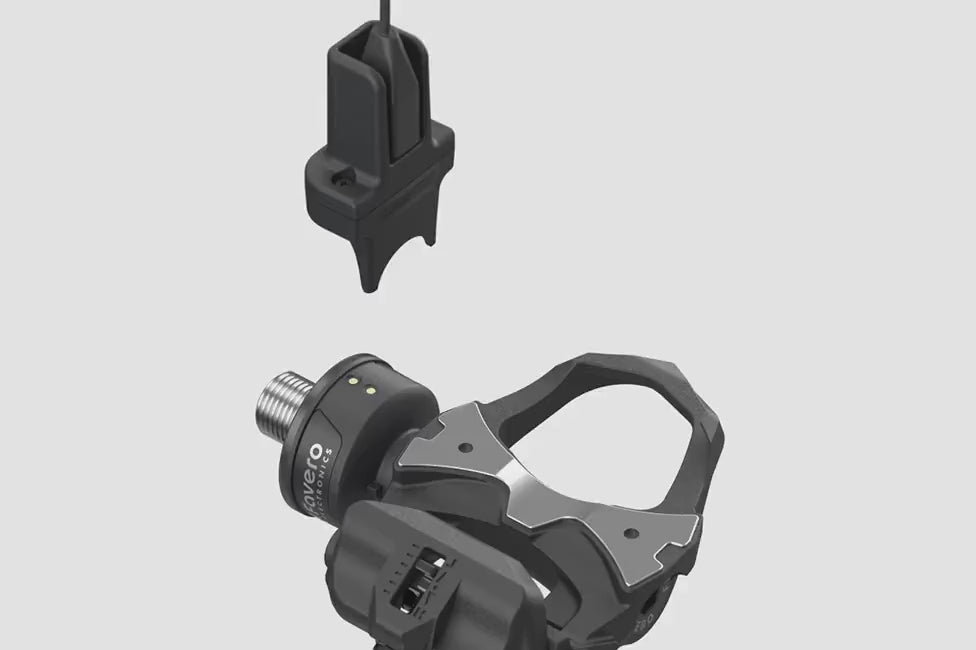
No. The pedal body is completely electronics-free, making it more sturdy against impacts and falls. You can remove and replace it easily — spare parts are available in the Favero online shop.
How do I clean Assioma?
Use a damp cloth. Do not use aggressive chemicals such as alcohol, industrial degreasers, oil, diesel, or petroleum derivatives. Assioma is IP67 waterproof — you can wash it with water, but avoid high-pressure jets as they may compromise the mechanical parts.
Do I have to set the crank-arm length on the Favero Assioma app?
Only if your bike computer doesn't allow you to set this parameter directly. If your bike computer provides this option, it will overwrite the value set in the app.
How do I pair Assioma DUO/DUO-Shi with a third-party app?
Connection happens smoothly via Bluetooth with most training apps. In rare cases where your app requires pedals to communicate independently, go to the compatibility with other apps tab in the Favero Assioma app and choose dual-channel L/R. Note: this will restart Assioma and require re-pairing via BLE.
What does the Power halving functionality mean?
This applies to single-sided power meter pedals connected via Bluetooth. Since the sensor is on the left pedal only, the system doubles left-side power to display total power. Power halving is disabled by default. If your training device does not double the power — no changes needed. If your training device does double the power and values look inflated — enable Power halving in the app.
When should I adjust power?
Assioma is factory calibrated — no adjustment is needed in normal use. Adjusting power may be useful only if your bike computer doesn't support a specific crank-arm length, or if you want to align Assioma's data with an indoor trainer.
Is the Favero Assioma app necessary for first activation?
Yes. Pairing Assioma with the Favero Assioma app is required to enable data transmission and starts the warranty period.
How do I activate Assioma?
Ensure Assioma is switched on and not connected to any other Bluetooth devices. Android users may need to enable geolocation. Open the Favero Assioma app and pair your left sensor (master) first. For dual-sided versions, the right sensor will appear on the results screen — pair it as well. Make sure to select your correct serial numbers as other nearby Assioma sensors may appear.
How do I update Assioma's firmware?
Install firmware updates directly via the Favero Assioma app (free on Android and iOS). Ensure the battery is at least 75% charged before updating. The process usually takes a few minutes.
Can I read power data on the Favero Assioma app directly?
Yes, when connected to Assioma PRO, the app shows live data including: Cadence, Power, L/R Balance (double-sided only), PCO, Power Phase (PP), Torque Efficiency (TE), and Pedal Smoothness (PS).
Is Bikers.SG an official Favero Partner?
Yes. Bikers.SG is a registered business in Singapore under Waaha Technology Pte Limited. All Favero products sold by Bikers.SG are authentic and come with a two-year warranty.
How will warranty support be handled?
For all after-sale and warranty support, contact Favero directly via the official Favero support page at cycling.favero.com/support.
How do I choose between single-sided vs dual-sided power meter pedals?
More data is not always the answer. The right data is. Single-sided power meters measure power from the left leg and multiply it by two to estimate total output. They are a great entry point into power training, helping riders start working with watts and track progress over time. But if you want a more complete understanding of how each leg performs independently, dual-sided models measure left and right power separately, revealing balance, asymmetries and pedalling dynamics. Choose the setup that matches your goals.
What devices is Assioma compatible with?
Assioma features both ANT+ (pwr profile) and Bluetooth (cpp profile) connectivity, thus being compatible with most bike computers and apps in the market. For a complete list of ANT+ certified compatible head units, visit the This is ANT Official Directory at thisisant.com.
What apps is Assioma compatible with?
Assioma is compatible with the most famous cycling apps including Zwift, Strava, Bkool, The Sufferfest, TrainerRoad, Rouvy, and many more.
Can I use my Assioma DUO/UNO spindle with Shimano pedal bodies?
Unfortunately no. Even though they might look alike, the spindle with sensor of Assioma DUO-Shi undergoes a different factory calibration and has a slightly different design with an oil retainer glued to the spindle.
Can I use the same spindle for Assioma PRO RL, PRO RS and PRO MX?
Yes. All Assioma PRO models share the same spindle, making them ideal for a pedal swap. No special tools are needed. All critical components (strain gauges, electronics, rechargeable battery) are housed inside the spindle. A step-by-step guide is available in the Favero Assioma app under the Support section.
What pedal bodies is Assioma DUO-Shi compatible with?
Compatible pedal bodies: Shimano PD-R8000, PD-R7000, PD-6800, PD-R550, and PD-R540. These are not sold together with the product.
What is Assioma's travel mode?
Assioma features a smart auto-off system based on pedal movement. To turn off the pedals for air travel, select Travel Mode in the settings of your Favero Assioma app. Remember to bring the magnetic charger with you to exit Travel Mode.
How much is the stack height of Assioma power meters?
Stack height is defined as the distance between the center of the pedal axle and the surface where the cleats make contact with the pedal. Assioma PRO RL: 10.5mm. Assioma PRO RS: 10.5mm. Assioma PRO MX: 11.2mm. Assioma DUO/UNO: 10.5mm. Assioma DUO-Shi: varies by Shimano pedal body.
How does Assioma measure power and cadence?
Assioma measures force (torque) via 8 strain gauges placed around the axle. For cadence, it uses the IAV Power System (Instant Angular Velocity-based Power Calculation) with an integrated gyroscope, guaranteeing plus or minus 1% declared accuracy with any pedaling style.
What kind of cleats can I use with Assioma?
Assioma PRO RL: Favero cleats, Favero Look-compatible cleats, original Look Keo and Look Keo Grip cleats. Assioma PRO RS: Favero cleats, original Shimano SM-SH10, SM-SH11, SM-SH12. Assioma PRO MX: Favero cleats, original Shimano SM-SH51, SM-SH56, CL-MT001. Assioma DUO/UNO: Favero cleats provided, original Look Keo.
Is Assioma compatible with spinning bikes?
Assioma road version is compatible with spinning bikes. For Assioma PRO, specific conditions must be met — refer to the official compatibility document on the Favero website.
Where do I find the serial numbers of my pedals?
The serial numbers are a numerical combination that identify your sensors and are particularly useful for raising a support ticket. You can find them on the outside of the Assioma box or on the manual.
I've installed Assioma but can't see power data. Why?
When installed for the first time (or mounted on a new bike), Assioma needs to carry out an internal self-calibration. Self-calibration occurs by performing a few dozen pedal strokes while sitting and pedaling uniformly. We recommend pedaling on flat terrain for it to correctly happen.
How do I view IAV Cycling Dynamics with Assioma?
IAV Cycling Dynamics have been implemented by Garmin and Bryton on select devices. Garmin: Edge 520 Plus, Edge 530, Edge 540 Series, Edge 820, Edge 830, Edge 840 Series, Edge 1030 Series, Edge 1040 Series, Edge Explore 21. Bryton: Rider 750 SE, Rider 750, Rider 650, Rider S-Series. Pair via ANT+ exclusively. Go to sensors, then sensor details and enable IAV Cycling Dynamics.
How can I view TE and PS on my Garmin head unit?
TE and PS are available on Garmin head units via ANT+. Go to settings, then sensors, then sensor details, then cycling dynamics and enable the TE/PS option.
When should I change the automatic stand-by?
The automatic stand-by can be changed on the Favero Assioma app. This is especially useful for triathletes who want to keep sensors active in transition areas.
Can I connect more than one bike computer or app for simultaneous data reading?
Yes. Assioma uses ANT+ and Bluetooth, compatible with most bike computers and apps. Assioma PRO can connect to up to 3 Bluetooth devices simultaneously.
On what bikes can Assioma PRO MX be installed?
Assioma PRO MX is designed for MTB XC, Gravel, and Cyclocross.
Can I use Assioma PRO with pedal extenders?
Assioma PRO must not be used with pedal extenders, crank shorteners, or accessories that alter the crank arm setup. Crank arm protectors are an exception. The plastic end of the spindle must extend at least 1mm beyond the crank arm thread; crank arms thicker than 15mm in the threaded area are unsuitable.
What if I put my pedals in travel mode and forget my charging cables at home?
Pedals can only exit Travel Mode when connected to their original cables and plugged into a power outlet. Using any alternative method is strictly prohibited and can permanently damage the product, voiding your warranty.
What battery does Assioma UNO/DUO use and how long does it last?
Assioma uses rechargeable lithium-polymer batteries and offers at least 50 operating hours per charge.
What battery does Assioma PRO use and how long does it last?
Assioma PRO uses rechargeable lithium-polymer batteries providing at least 160 hours per charge. A low battery warning appears at 8 hours remaining. Fast charging: 15 minutes gives an additional 15 hours. Charges via any USB-C power bank or smartphone charger.
Why does Favero choose rechargeable batteries?
No battery compartments that risk liquid seepage from incorrect closure. Battery is welded directly to the circuit board and resinated to prevent faulty contacts from vibration, dust, or moisture. No need to replace, buy, or dispose of batteries — better for your wallet and the environment.
What if my battery gets drained during a race or training session?
This is unlikely with rechargeable batteries as you can always check the battery level on the Favero Assioma app, and a low battery signal appears on your bike computer when 8 operating hours remain.
Can I service the Assioma pedals on my own?
Yes. You can carry out ordinary maintenance without sending the product back or needing a mechanic. All processes are described in the Support section of the Favero Assioma app.
If I damage the pedal body, do I compromise the electronics?
No. The pedal body is completely electronics-free, making it more sturdy against impacts and falls. You can remove and replace it easily — spare parts are available in the Favero online shop.
How do I clean Assioma?
Use a damp cloth. Do not use aggressive chemicals such as alcohol, industrial degreasers, oil, diesel, or petroleum derivatives. Assioma is IP67 waterproof — you can wash it with water, but avoid high-pressure jets as they may compromise the mechanical parts.
Do I have to set the crank-arm length on the Favero Assioma app?
Only if your bike computer doesn't allow you to set this parameter directly. If your bike computer provides this option, it will overwrite the value set in the app.
How do I pair Assioma DUO/DUO-Shi with a third-party app?
Connection happens smoothly via Bluetooth with most training apps. In rare cases where your app requires pedals to communicate independently, go to the compatibility with other apps tab in the Favero Assioma app and choose dual-channel L/R. Note: this will restart Assioma and require re-pairing via BLE.
What does the Power halving functionality mean?
This applies to single-sided power meter pedals connected via Bluetooth. Since the sensor is on the left pedal only, the system doubles left-side power to display total power. Power halving is disabled by default. If your training device does not double the power — no changes needed. If your training device does double the power and values look inflated — enable Power halving in the app.
When should I adjust power?
Assioma is factory calibrated — no adjustment is needed in normal use. Adjusting power may be useful only if your bike computer doesn't support a specific crank-arm length, or if you want to align Assioma's data with an indoor trainer.
Is the Favero Assioma app necessary for first activation?
Yes. Pairing Assioma with the Favero Assioma app is required to enable data transmission and starts the warranty period.
How do I activate Assioma?
Ensure Assioma is switched on and not connected to any other Bluetooth devices. Android users may need to enable geolocation. Open the Favero Assioma app and pair your left sensor (master) first. For dual-sided versions, the right sensor will appear on the results screen — pair it as well. Make sure to select your correct serial numbers as other nearby Assioma sensors may appear.
How do I update Assioma's firmware?
Install firmware updates directly via the Favero Assioma app (free on Android and iOS). Ensure the battery is at least 75% charged before updating. The process usually takes a few minutes.
Can I read power data on the Favero Assioma app directly?
Yes, when connected to Assioma PRO, the app shows live data including: Cadence, Power, L/R Balance (double-sided only), PCO, Power Phase (PP), Torque Efficiency (TE), and Pedal Smoothness (PS).
Is Bikers.SG an official Favero Partner?
Yes. Bikers.SG is a registered business in Singapore under Waaha Technology Pte Limited. All Favero products sold by Bikers.SG are authentic and come with a two-year warranty.
How will warranty support be handled?
For all after-sale and warranty support, contact Favero directly via the official Favero support page at cycling.favero.com/support.