



Favero Assioma FAQ
Frequently Asked Questions
What data can I see with Assioma DUO/UNO or DUO-Shi?
Assioma provides several useful training data, yet its display mostly depends on the transmission channel (Bluetooth or ANT+) that your bike computer/app is using. Via Bluetooth: Cadence, Power, L/R Balance (double-sided version only). Via ANT+: Cadence, Power, L/R Balance (double-sided version only), Power Phase (PP), Rider Position (RP), Torque Effectiveness (TE), Pedal Smoothness (PS).
What data can I see with Assioma PRO?
Assioma PRO models offer power data that can be seen both on your bike computer/app and in the LIVE screen of the Favero Assioma app. Via ANT+ or Favero Assioma app: Cadence, Power, L/R Balance (double-sided version only), PCO, Power Phase (PP), Rider Position (RP) — not available in Favero Assioma app, Torque Effectiveness (TE), Pedal Smoothness (PS).
How to calibrate the Assioma pedals?
You can calibrate the pedals directly on the Favero Assioma app or with your bike computer. For it to be successful, place the bike upright (not tilted) with the crank arms in a vertical position and make sure the pedals are free from any loads before proceeding.
When should I calibrate Assioma?
You have to calibrate the pedals at first and every new installation but you don't need to calibrate them before every ride since the automatic calibration feature will take care of it for you. Automatic calibration will happen without you even realizing: the only suggestion is to store the bike upright (not tilted), with no loads applied to the pedals. The position of the crank arms is irrelevant. You can still perform manual calibration before your rides if you wish to, but it's not necessary at all.
My bike computer asks me to perform a calibration. What should I do?
You can disable the calibration option on your bike computer, as with the Assioma's auto-calibration functionality it's not necessary. Remember, though, to perform manual calibration at first and every new installation.
How much does Assioma UNO/DUO weigh?
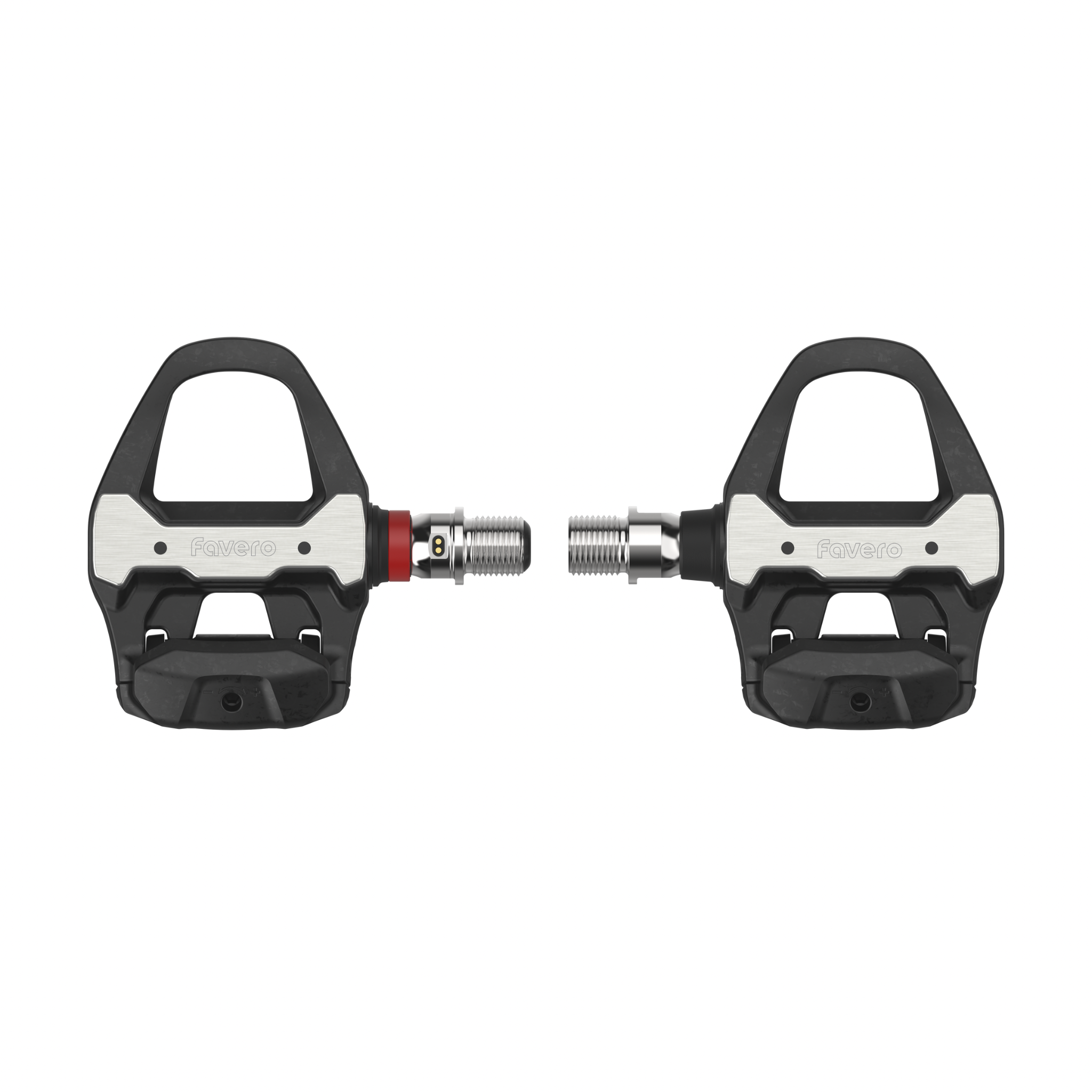
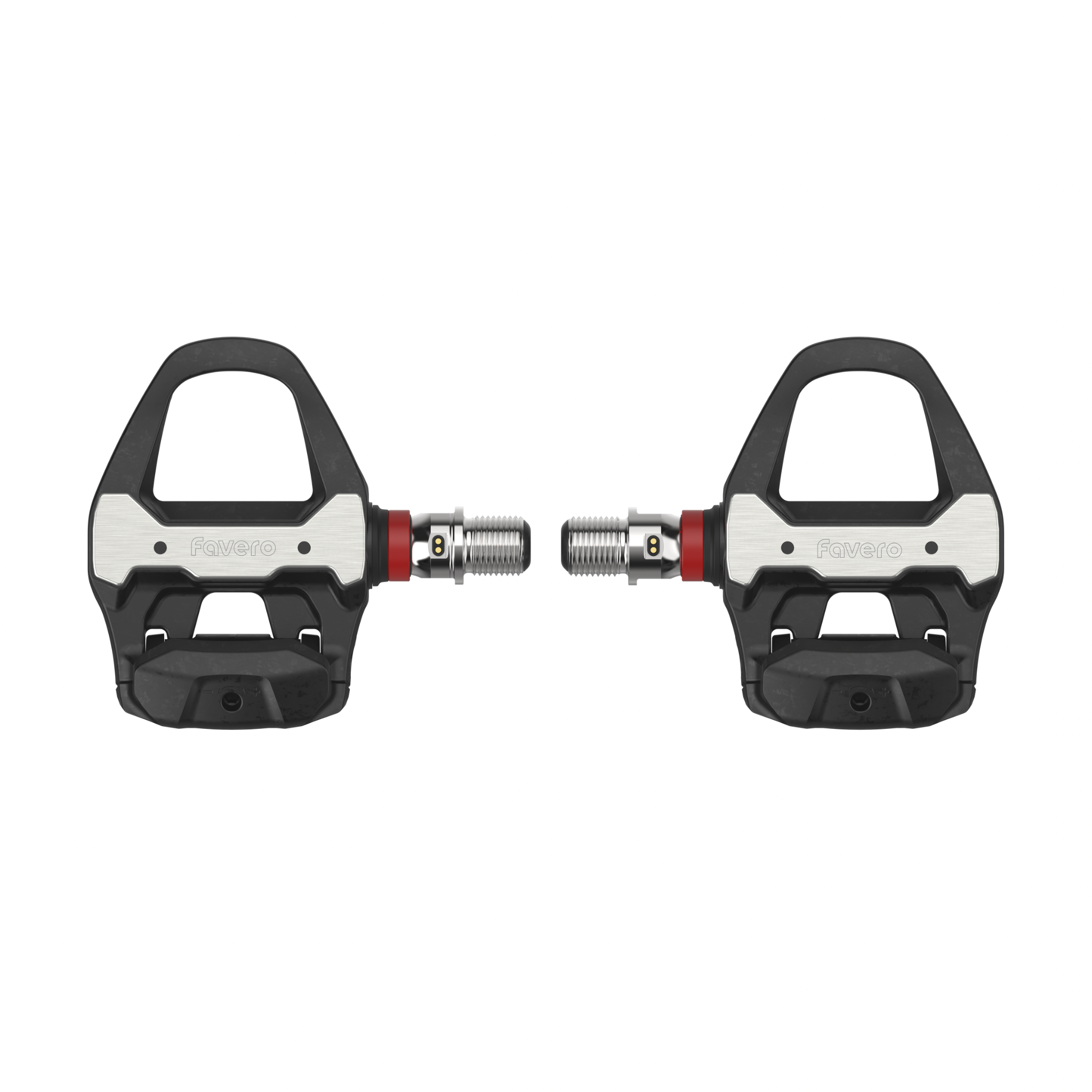
Assioma UNO/DUO weighs only 151.5g per pedal (with sensor).
How much does Assioma PRO MX weigh?
With 195.3g per pedal, Assioma PRO MX stands out as one of the lightest MTB power meters on the market. The pedal's weight is more important than that of any other bike component as any change in the pedaling speed results in a loss of energy directly proportional to the weight of the pedal itself.
How much does Assioma PRO RS weigh?
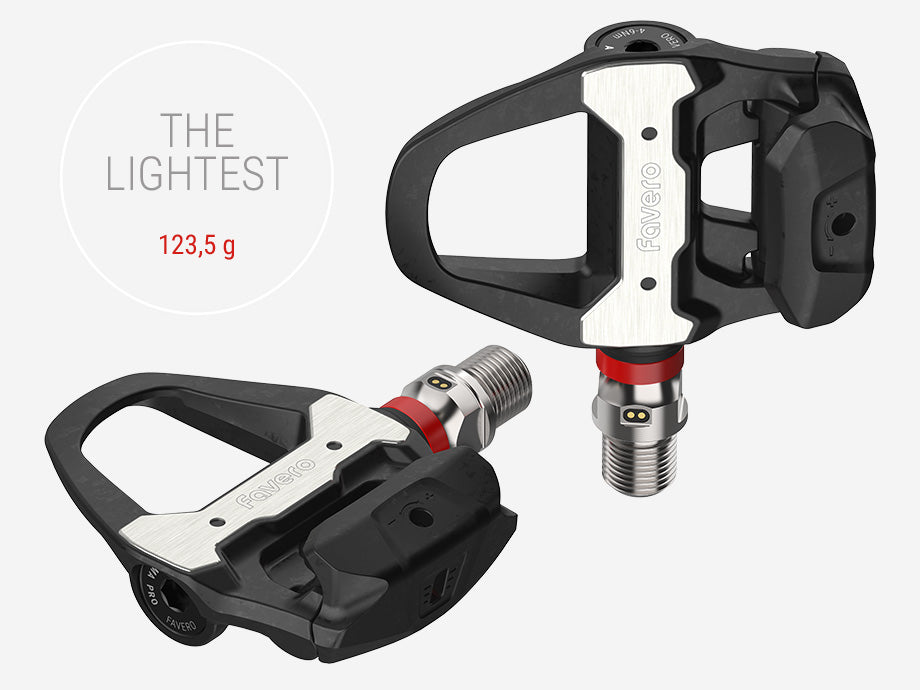
Assioma PRO RS weighs just 124.8g per pedal (with sensor), which makes it the lightest road pedal-based power meter on the market.
How much does Assioma PRO RL weigh?
Assioma PRO RL weighs just 130g per pedal (with sensor), which makes it the lightest Look-compatible power meter pedal featuring adjustable release tension on the market.
What is Assioma's q-factor?
It depends on the model. Assioma PRO line all models offer +53mm q-factor. Assioma UNO/DUO is +54mm. Assioma DUO-Shi varies by pedal body: PD-R8000/6800 is +65mm, PD-R7000/R550/R540 is +64mm.
What data can I see with Assioma DUO/UNO or DUO-Shi?
Assioma provides several useful training data, yet its display mostly depends on the transmission channel (Bluetooth or ANT+) that your bike computer/app is using. Via Bluetooth: Cadence, Power, L/R Balance (double-sided version only). Via ANT+: Cadence, Power, L/R Balance (double-sided version only), Power Phase (PP), Rider Position (RP), Torque Effectiveness (TE), Pedal Smoothness (PS).
What data can I see with Assioma PRO?
Assioma PRO models offer power data that can be seen both on your bike computer/app and in the LIVE screen of the Favero Assioma app. Via ANT+ or Favero Assioma app: Cadence, Power, L/R Balance (double-sided version only), PCO, Power Phase (PP), Rider Position (RP) — not available in Favero Assioma app, Torque Effectiveness (TE), Pedal Smoothness (PS).
How to calibrate the Assioma pedals?
You can calibrate the pedals directly on the Favero Assioma app or with your bike computer. For it to be successful, place the bike upright (not tilted) with the crank arms in a vertical position and make sure the pedals are free from any loads before proceeding.
When should I calibrate Assioma?
You have to calibrate the pedals at first and every new installation but you don't need to calibrate them before every ride since the automatic calibration feature will take care of it for you. Automatic calibration will happen without you even realizing: the only suggestion is to store the bike upright (not tilted), with no loads applied to the pedals. The position of the crank arms is irrelevant. You can still perform manual calibration before your rides if you wish to, but it's not necessary at all.
My bike computer asks me to perform a calibration. What should I do?
You can disable the calibration option on your bike computer, as with the Assioma's auto-calibration functionality it's not necessary. Remember, though, to perform manual calibration at first and every new installation.
How much does Assioma UNO/DUO weigh?
Assioma UNO/DUO weighs only 151.5g per pedal (with sensor).
How much does Assioma PRO MX weigh?
With 195.3g per pedal, Assioma PRO MX stands out as one of the lightest MTB power meters on the market. The pedal's weight is more important than that of any other bike component as any change in the pedaling speed results in a loss of energy directly proportional to the weight of the pedal itself.
How much does Assioma PRO RS weigh?
Assioma PRO RS weighs just 124.8g per pedal (with sensor), which makes it the lightest road pedal-based power meter on the market.
How much does Assioma PRO RL weigh?
Assioma PRO RL weighs just 130g per pedal (with sensor), which makes it the lightest Look-compatible power meter pedal featuring adjustable release tension on the market.
What is Assioma's q-factor?
It depends on the model. Assioma PRO line all models offer +53mm q-factor. Assioma UNO/DUO is +54mm. Assioma DUO-Shi varies by pedal body: PD-R8000/6800 is +65mm, PD-R7000/R550/R540 is +64mm.
How do I choose between single-sided vs dual-sided power meter pedals?
More data is not always the answer. The right data is. Single-sided power meters measure power from the left leg and multiply it by two to estimate total output. They are a great entry point into power training, helping riders start working with watts and track progress over time. But if you want a more complete understanding of how each leg performs independently, dual-sided models measure left and right power separately, revealing balance, asymmetries and pedalling dynamics. Choose the setup that matches your goals.
What devices is Assioma compatible with?
Assioma features both ANT+ (pwr profile) and Bluetooth (cpp profile) connectivity, thus being compatible with most bike computers and apps in the market. For a complete list of ANT+ certified compatible head units, visit the This is ANT Official Directory at thisisant.com.
What apps is Assioma compatible with?
Assioma is compatible with the most famous cycling apps including Zwift, Strava, Bkool, The Sufferfest, TrainerRoad, Rouvy, and many more.
Can I use my Assioma DUO/UNO spindle with Shimano pedal bodies?
Unfortunately no. Even though they might look alike, the spindle with sensor of Assioma DUO-Shi undergoes a different factory calibration and has a slightly different design with an oil retainer glued to the spindle.
Can I use the same spindle for Assioma PRO RL, PRO RS and PRO MX?
Yes. All Assioma PRO models share the same spindle, making them ideal for a pedal swap. No special tools are needed. All critical components (strain gauges, electronics, rechargeable battery) are housed inside the spindle. A step-by-step guide is available in the Favero Assioma app under the Support section.
What pedal bodies is Assioma DUO-Shi compatible with?
Compatible pedal bodies: Shimano PD-R8000, PD-R7000, PD-6800, PD-R550, and PD-R540. These are not sold together with the product.
What is Assioma's travel mode?
Assioma features a smart auto-off system based on pedal movement. To turn off the pedals for air travel, select Travel Mode in the settings of your Favero Assioma app. Remember to bring the magnetic charger with you to exit Travel Mode.
How much is the stack height of Assioma power meters?
Stack height is defined as the distance between the center of the pedal axle and the surface where the cleats make contact with the pedal. Assioma PRO RL: 10.5mm. Assioma PRO RS: 10.5mm. Assioma PRO MX: 11.2mm. Assioma DUO/UNO: 10.5mm. Assioma DUO-Shi: varies by Shimano pedal body.
How does Assioma measure power and cadence?
Assioma measures force (torque) via 8 strain gauges placed around the axle. For cadence, it uses the IAV Power System (Instant Angular Velocity-based Power Calculation) with an integrated gyroscope, guaranteeing plus or minus 1% declared accuracy with any pedaling style.
What kind of cleats can I use with Assioma?
Assioma PRO RL: Favero cleats, Favero Look-compatible cleats, original Look Keo and Look Keo Grip cleats. Assioma PRO RS: Favero cleats, original Shimano SM-SH10, SM-SH11, SM-SH12. Assioma PRO MX: Favero cleats, original Shimano SM-SH51, SM-SH56, CL-MT001. Assioma DUO/UNO: Favero cleats provided, original Look Keo.
Is Assioma compatible with spinning bikes?
Assioma road version is compatible with spinning bikes. For Assioma PRO, specific conditions must be met — refer to the official compatibility document on the Favero website.
Where do I find the serial numbers of my pedals?
The serial numbers are a numerical combination that identify your sensors and are particularly useful for raising a support ticket. You can find them on the outside of the Assioma box or on the manual.
I've installed Assioma but can't see power data. Why?
When installed for the first time (or mounted on a new bike), Assioma needs to carry out an internal self-calibration. Self-calibration occurs by performing a few dozen pedal strokes while sitting and pedaling uniformly. We recommend pedaling on flat terrain for it to correctly happen.
How do I view IAV Cycling Dynamics with Assioma?
IAV Cycling Dynamics have been implemented by Garmin and Bryton on select devices. Garmin: Edge 520 Plus, Edge 530, Edge 540 Series, Edge 820, Edge 830, Edge 840 Series, Edge 1030 Series, Edge 1040 Series, Edge Explore 21. Bryton: Rider 750 SE, Rider 750, Rider 650, Rider S-Series. Pair via ANT+ exclusively. Go to sensors, then sensor details and enable IAV Cycling Dynamics.
How can I view TE and PS on my Garmin head unit?
TE and PS are available on Garmin head units via ANT+. Go to settings, then sensors, then sensor details, then cycling dynamics and enable the TE/PS option.
When should I change the automatic stand-by?
The automatic stand-by can be changed on the Favero Assioma app. This is especially useful for triathletes who want to keep sensors active in transition areas.
Can I connect more than one bike computer or app for simultaneous data reading?
Yes. Assioma uses ANT+ and Bluetooth, compatible with most bike computers and apps. Assioma PRO can connect to up to 3 Bluetooth devices simultaneously.
On what bikes can Assioma PRO MX be installed?
Assioma PRO MX is designed for MTB XC, Gravel, and Cyclocross.
Can I use Assioma PRO with pedal extenders?
Assioma PRO must not be used with pedal extenders, crank shorteners, or accessories that alter the crank arm setup. Crank arm protectors are an exception. The plastic end of the spindle must extend at least 1mm beyond the crank arm thread; crank arms thicker than 15mm in the threaded area are unsuitable.
What if I put my pedals in travel mode and forget my charging cables at home?
Pedals can only exit Travel Mode when connected to their original cables and plugged into a power outlet. Using any alternative method is strictly prohibited and can permanently damage the product, voiding your warranty.
What battery does Assioma UNO/DUO use and how long does it last?
Assioma uses rechargeable lithium-polymer batteries and offers at least 50 operating hours per charge.
What battery does Assioma PRO use and how long does it last?
Assioma PRO uses rechargeable lithium-polymer batteries providing at least 160 hours per charge. A low battery warning appears at 8 hours remaining. Fast charging: 15 minutes gives an additional 15 hours. Charges via any USB-C power bank or smartphone charger.
Why does Favero choose rechargeable batteries?
No battery compartments that risk liquid seepage from incorrect closure. Battery is welded directly to the circuit board and resinated to prevent faulty contacts from vibration, dust, or moisture. No need to replace, buy, or dispose of batteries — better for your wallet and the environment.
What if my battery gets drained during a race or training session?
This is unlikely with rechargeable batteries as you can always check the battery level on the Favero Assioma app, and a low battery signal appears on your bike computer when 8 operating hours remain.
Can I service the Assioma pedals on my own?
Yes. You can carry out ordinary maintenance without sending the product back or needing a mechanic. All processes are described in the Support section of the Favero Assioma app.
If I damage the pedal body, do I compromise the electronics?
No. The pedal body is completely electronics-free, making it more sturdy against impacts and falls. You can remove and replace it easily — spare parts are available in the Favero online shop.
How do I clean Assioma?
Use a damp cloth. Do not use aggressive chemicals such as alcohol, industrial degreasers, oil, diesel, or petroleum derivatives. Assioma is IP67 waterproof — you can wash it with water, but avoid high-pressure jets as they may compromise the mechanical parts.
Do I have to set the crank-arm length on the Favero Assioma app?
Only if your bike computer doesn't allow you to set this parameter directly. If your bike computer provides this option, it will overwrite the value set in the app.
How do I pair Assioma DUO/DUO-Shi with a third-party app?
Connection happens smoothly via Bluetooth with most training apps. In rare cases where your app requires pedals to communicate independently, go to the compatibility with other apps tab in the Favero Assioma app and choose dual-channel L/R. Note: this will restart Assioma and require re-pairing via BLE.
What does the Power halving functionality mean?
This applies to single-sided power meter pedals connected via Bluetooth. Since the sensor is on the left pedal only, the system doubles left-side power to display total power. Power halving is disabled by default. If your training device does not double the power — no changes needed. If your training device does double the power and values look inflated — enable Power halving in the app.
When should I adjust power?
Assioma is factory calibrated — no adjustment is needed in normal use. Adjusting power may be useful only if your bike computer doesn't support a specific crank-arm length, or if you want to align Assioma's data with an indoor trainer.
Is the Favero Assioma app necessary for first activation?
Yes. Pairing Assioma with the Favero Assioma app is required to enable data transmission and starts the warranty period.
How do I activate Assioma?
Ensure Assioma is switched on and not connected to any other Bluetooth devices. Android users may need to enable geolocation. Open the Favero Assioma app and pair your left sensor (master) first. For dual-sided versions, the right sensor will appear on the results screen — pair it as well. Make sure to select your correct serial numbers as other nearby Assioma sensors may appear.
How do I update Assioma's firmware?
Install firmware updates directly via the Favero Assioma app (free on Android and iOS). Ensure the battery is at least 75% charged before updating. The process usually takes a few minutes.
Can I read power data on the Favero Assioma app directly?
Yes, when connected to Assioma PRO, the app shows live data including: Cadence, Power, L/R Balance (double-sided only), PCO, Power Phase (PP), Torque Efficiency (TE), and Pedal Smoothness (PS).
Is Bikers.SG an official Favero Partner?
Yes. Bikers.SG is a registered business in Singapore under Waaha Technology Pte Limited. All Favero products sold by Bikers.SG are authentic and come with a two-year warranty.
How will warranty support be handled?
For all after-sale and warranty support, contact Favero directly via the official Favero support page at cycling.favero.com/support.
How do I choose between single-sided vs dual-sided power meter pedals?
More data is not always the answer. The right data is. Single-sided power meters measure power from the left leg and multiply it by two to estimate total output. They are a great entry point into power training, helping riders start working with watts and track progress over time. But if you want a more complete understanding of how each leg performs independently, dual-sided models measure left and right power separately, revealing balance, asymmetries and pedalling dynamics. Choose the setup that matches your goals.
What devices is Assioma compatible with?
Assioma features both ANT+ (pwr profile) and Bluetooth (cpp profile) connectivity, thus being compatible with most bike computers and apps in the market. For a complete list of ANT+ certified compatible head units, visit the This is ANT Official Directory at thisisant.com.
What apps is Assioma compatible with?
Assioma is compatible with the most famous cycling apps including Zwift, Strava, Bkool, The Sufferfest, TrainerRoad, Rouvy, and many more.
Can I use my Assioma DUO/UNO spindle with Shimano pedal bodies?
Unfortunately no. Even though they might look alike, the spindle with sensor of Assioma DUO-Shi undergoes a different factory calibration and has a slightly different design with an oil retainer glued to the spindle.
Can I use the same spindle for Assioma PRO RL, PRO RS and PRO MX?
Yes. All Assioma PRO models share the same spindle, making them ideal for a pedal swap. No special tools are needed. All critical components (strain gauges, electronics, rechargeable battery) are housed inside the spindle. A step-by-step guide is available in the Favero Assioma app under the Support section.
What pedal bodies is Assioma DUO-Shi compatible with?
Compatible pedal bodies: Shimano PD-R8000, PD-R7000, PD-6800, PD-R550, and PD-R540. These are not sold together with the product.
What is Assioma's travel mode?
Assioma features a smart auto-off system based on pedal movement. To turn off the pedals for air travel, select Travel Mode in the settings of your Favero Assioma app. Remember to bring the magnetic charger with you to exit Travel Mode.
How much is the stack height of Assioma power meters?
Stack height is defined as the distance between the center of the pedal axle and the surface where the cleats make contact with the pedal. Assioma PRO RL: 10.5mm. Assioma PRO RS: 10.5mm. Assioma PRO MX: 11.2mm. Assioma DUO/UNO: 10.5mm. Assioma DUO-Shi: varies by Shimano pedal body.
How does Assioma measure power and cadence?
Assioma measures force (torque) via 8 strain gauges placed around the axle. For cadence, it uses the IAV Power System (Instant Angular Velocity-based Power Calculation) with an integrated gyroscope, guaranteeing plus or minus 1% declared accuracy with any pedaling style.
What kind of cleats can I use with Assioma?
Assioma PRO RL: Favero cleats, Favero Look-compatible cleats, original Look Keo and Look Keo Grip cleats. Assioma PRO RS: Favero cleats, original Shimano SM-SH10, SM-SH11, SM-SH12. Assioma PRO MX: Favero cleats, original Shimano SM-SH51, SM-SH56, CL-MT001. Assioma DUO/UNO: Favero cleats provided, original Look Keo.
Is Assioma compatible with spinning bikes?
Assioma road version is compatible with spinning bikes. For Assioma PRO, specific conditions must be met — refer to the official compatibility document on the Favero website.
Where do I find the serial numbers of my pedals?
The serial numbers are a numerical combination that identify your sensors and are particularly useful for raising a support ticket. You can find them on the outside of the Assioma box or on the manual.
I've installed Assioma but can't see power data. Why?
When installed for the first time (or mounted on a new bike), Assioma needs to carry out an internal self-calibration. Self-calibration occurs by performing a few dozen pedal strokes while sitting and pedaling uniformly. We recommend pedaling on flat terrain for it to correctly happen.
How do I view IAV Cycling Dynamics with Assioma?
IAV Cycling Dynamics have been implemented by Garmin and Bryton on select devices. Garmin: Edge 520 Plus, Edge 530, Edge 540 Series, Edge 820, Edge 830, Edge 840 Series, Edge 1030 Series, Edge 1040 Series, Edge Explore 21. Bryton: Rider 750 SE, Rider 750, Rider 650, Rider S-Series. Pair via ANT+ exclusively. Go to sensors, then sensor details and enable IAV Cycling Dynamics.
How can I view TE and PS on my Garmin head unit?
TE and PS are available on Garmin head units via ANT+. Go to settings, then sensors, then sensor details, then cycling dynamics and enable the TE/PS option.
When should I change the automatic stand-by?
The automatic stand-by can be changed on the Favero Assioma app. This is especially useful for triathletes who want to keep sensors active in transition areas.
Can I connect more than one bike computer or app for simultaneous data reading?
Yes. Assioma uses ANT+ and Bluetooth, compatible with most bike computers and apps. Assioma PRO can connect to up to 3 Bluetooth devices simultaneously.
On what bikes can Assioma PRO MX be installed?
Assioma PRO MX is designed for MTB XC, Gravel, and Cyclocross.
Can I use Assioma PRO with pedal extenders?
Assioma PRO must not be used with pedal extenders, crank shorteners, or accessories that alter the crank arm setup. Crank arm protectors are an exception. The plastic end of the spindle must extend at least 1mm beyond the crank arm thread; crank arms thicker than 15mm in the threaded area are unsuitable.
What if I put my pedals in travel mode and forget my charging cables at home?
Pedals can only exit Travel Mode when connected to their original cables and plugged into a power outlet. Using any alternative method is strictly prohibited and can permanently damage the product, voiding your warranty.
What battery does Assioma UNO/DUO use and how long does it last?
Assioma uses rechargeable lithium-polymer batteries and offers at least 50 operating hours per charge.
What battery does Assioma PRO use and how long does it last?
Assioma PRO uses rechargeable lithium-polymer batteries providing at least 160 hours per charge. A low battery warning appears at 8 hours remaining. Fast charging: 15 minutes gives an additional 15 hours. Charges via any USB-C power bank or smartphone charger.
Why does Favero choose rechargeable batteries?
No battery compartments that risk liquid seepage from incorrect closure. Battery is welded directly to the circuit board and resinated to prevent faulty contacts from vibration, dust, or moisture. No need to replace, buy, or dispose of batteries — better for your wallet and the environment.
What if my battery gets drained during a race or training session?
This is unlikely with rechargeable batteries as you can always check the battery level on the Favero Assioma app, and a low battery signal appears on your bike computer when 8 operating hours remain.
Can I service the Assioma pedals on my own?
Yes. You can carry out ordinary maintenance without sending the product back or needing a mechanic. All processes are described in the Support section of the Favero Assioma app.
If I damage the pedal body, do I compromise the electronics?
No. The pedal body is completely electronics-free, making it more sturdy against impacts and falls. You can remove and replace it easily — spare parts are available in the Favero online shop.
How do I clean Assioma?
Use a damp cloth. Do not use aggressive chemicals such as alcohol, industrial degreasers, oil, diesel, or petroleum derivatives. Assioma is IP67 waterproof — you can wash it with water, but avoid high-pressure jets as they may compromise the mechanical parts.
Do I have to set the crank-arm length on the Favero Assioma app?
Only if your bike computer doesn't allow you to set this parameter directly. If your bike computer provides this option, it will overwrite the value set in the app.
How do I pair Assioma DUO/DUO-Shi with a third-party app?
Connection happens smoothly via Bluetooth with most training apps. In rare cases where your app requires pedals to communicate independently, go to the compatibility with other apps tab in the Favero Assioma app and choose dual-channel L/R. Note: this will restart Assioma and require re-pairing via BLE.
What does the Power halving functionality mean?
This applies to single-sided power meter pedals connected via Bluetooth. Since the sensor is on the left pedal only, the system doubles left-side power to display total power. Power halving is disabled by default. If your training device does not double the power — no changes needed. If your training device does double the power and values look inflated — enable Power halving in the app.
When should I adjust power?
Assioma is factory calibrated — no adjustment is needed in normal use. Adjusting power may be useful only if your bike computer doesn't support a specific crank-arm length, or if you want to align Assioma's data with an indoor trainer.
Is the Favero Assioma app necessary for first activation?
Yes. Pairing Assioma with the Favero Assioma app is required to enable data transmission and starts the warranty period.
How do I activate Assioma?
Ensure Assioma is switched on and not connected to any other Bluetooth devices. Android users may need to enable geolocation. Open the Favero Assioma app and pair your left sensor (master) first. For dual-sided versions, the right sensor will appear on the results screen — pair it as well. Make sure to select your correct serial numbers as other nearby Assioma sensors may appear.
How do I update Assioma's firmware?
Install firmware updates directly via the Favero Assioma app (free on Android and iOS). Ensure the battery is at least 75% charged before updating. The process usually takes a few minutes.
Can I read power data on the Favero Assioma app directly?
Yes, when connected to Assioma PRO, the app shows live data including: Cadence, Power, L/R Balance (double-sided only), PCO, Power Phase (PP), Torque Efficiency (TE), and Pedal Smoothness (PS).
Is Bikers.SG an official Favero Partner?
Yes. Bikers.SG is a registered business in Singapore under Waaha Technology Pte Limited. All Favero products sold by Bikers.SG are authentic and come with a two-year warranty.
How will warranty support be handled?
For all after-sale and warranty support, contact Favero directly via the official Favero support page at cycling.favero.com/support.